How to switch
Open the hamburger menu and tap Settings. Under Navigation, choose between Aggregate and Classic. The change takes effect immediately — no restart needed.
Aggregate mode
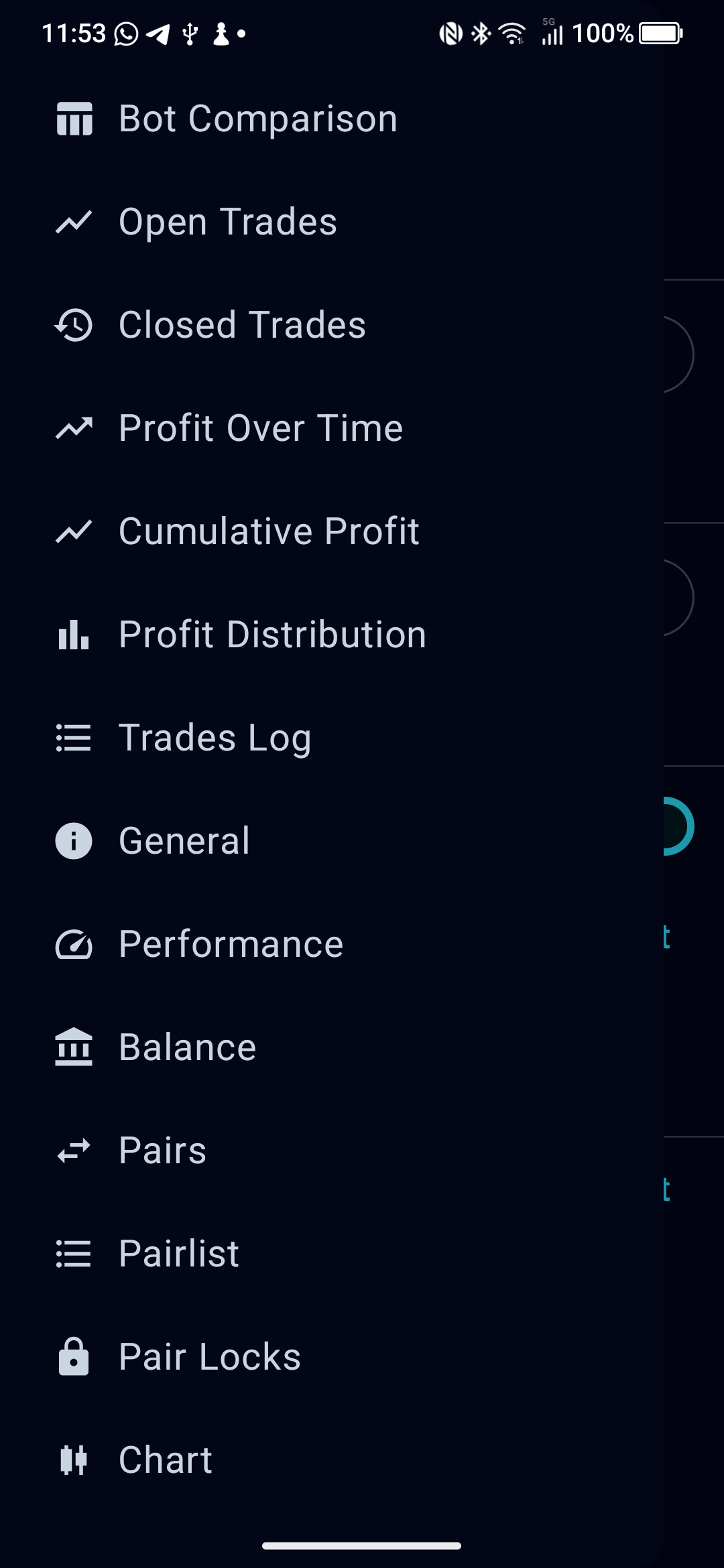
Aggregate mode presents a single flat list of screens in the navigation drawer. Every screen that shows trade data pulls from all enabled bots at once. This is ideal if you manage several bots and want a bird’s-eye view without switching context.
The drawer includes: Bot Comparison, Open Trades, Closed Trades, Profit Over Time, Cumulative Profit, Profit Distribution, Trades Log, General, Performance, Balance, Pairs, Pairlist, Pair Locks, and Chart.
Classic mode
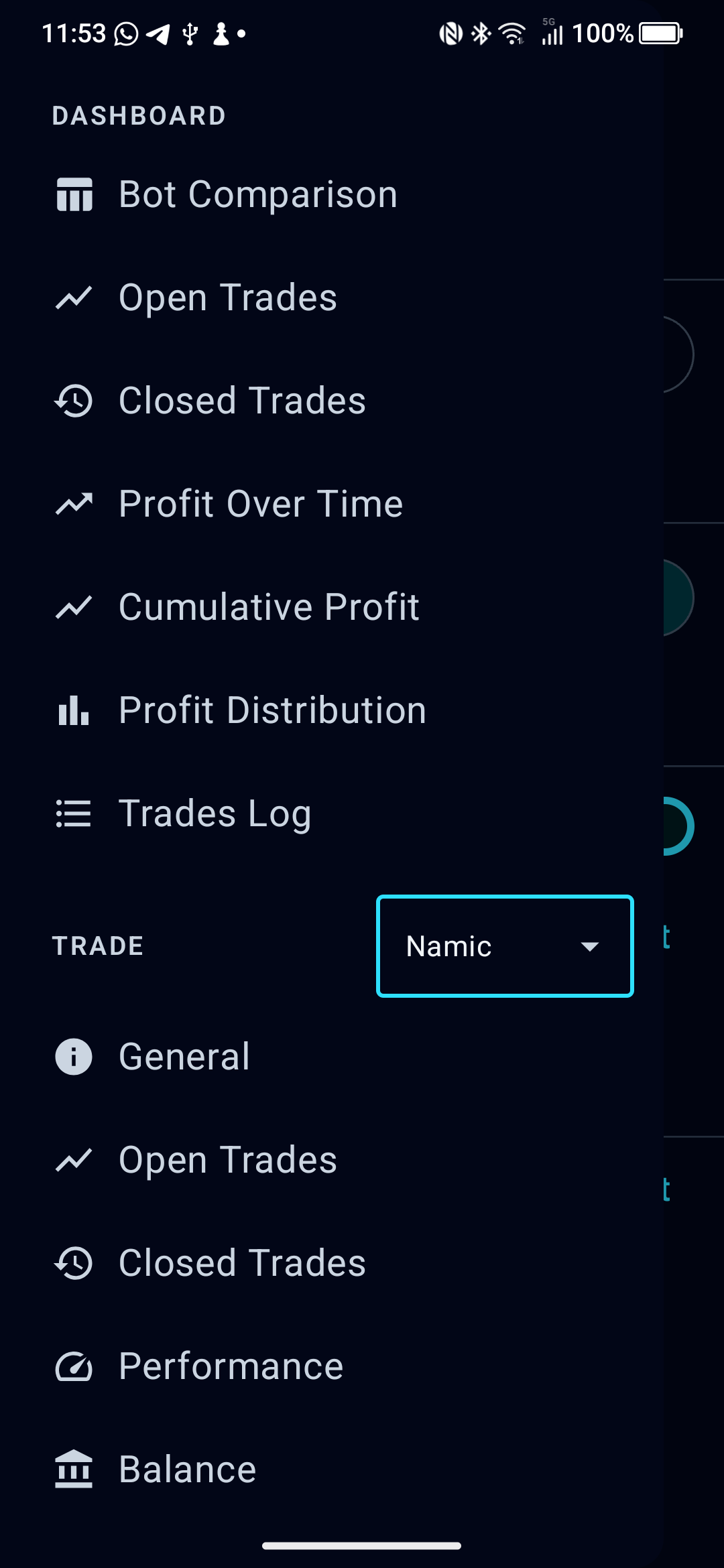
Classic mode splits the drawer into two sections:
- Dashboard — the same aggregated views as Aggregate mode (Bot Comparison, Open Trades, Closed Trades, Profit Over Time, Cumulative Profit, Profit Distribution, Trades Log).
- Trade — single-bot screens scoped to whichever bot is selected in the dropdown. Includes General, Open Trades, Closed Trades, Performance, Balance, Pairs, Pairlist, Pair Locks, and Chart.
The bot selector dropdown appears between the two sections. Tap it to switch which bot the Trade screens are focused on.
Which should I use?
| Aggregate | Classic |
|---|
| Best for | Quick multi-bot overviews | Focused single-bot analysis |
| Drawer layout | Flat list | Two sections with bot picker |
| Trade data scope | All bots combined | Selected bot only (Trade section) |
| Switching bots | Not needed — all data is merged | Dropdown in drawer |